 Skip to content
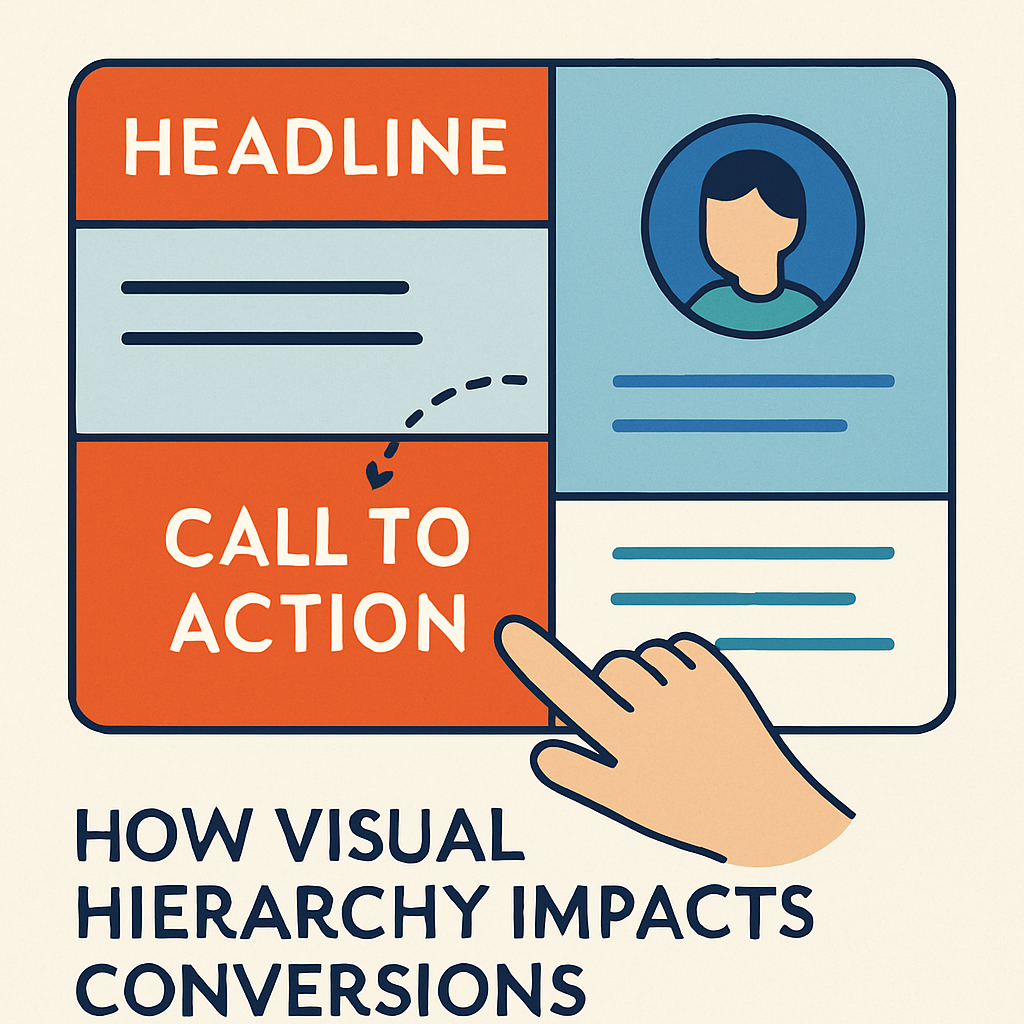
Most websites that fail to convert are not missing information. They have too much competing for attention, so visitors cannot tell what matters or what to do next. Visual hierarchy fixes that.
Short answer: visual hierarchy affects conversions by controlling the order in which visitors notice things. When the headline, key benefit and primary call to action are clearly the most prominent elements, visitors understand the offer faster and act more often. When everything has equal weight, they hesitate and leave. You build hierarchy with size, contrast, color, spacing, position and typography, and on mobile, with content order and thumb-friendly placement.
In this guide we explain how visual hierarchy works, the principles we use when designing conversion-focused pages, how hierarchy changes on mobile, the mistakes we see most often in audits, and how to test whether your layout is working.
What Is Visual Hierarchy?
Visual hierarchy is the arrangement of design elements so that their visual weight matches their importance. It answers three questions for the visitor within a few seconds:
- What is this page about?
- Why should I care?
- What should I do next?
Every page has a hierarchy whether you plan it or not. The question is whether the most prominent element is the one you want people to see first. On many small business sites, the most visually dominant thing is a rotating slider, a stock photo or a navigation bar, while the actual offer and the “Book a call” button blend into the background.
Why Visual Hierarchy Impacts Conversions
Conversion depends on a visitor understanding the offer, trusting it and finding the next step without effort. Hierarchy affects all three.
It shapes the first impression
People judge a page very quickly, often before they read a full sentence. Research from groups like the Nielsen Norman Group has shown that users scan rather than read, and that they decide within seconds whether a page is worth their time. A clear focal point, a short benefit-led headline and a visible next step tell the visitor they are in the right place.
It reduces cognitive load
Every competing element forces a small decision: read this, or that? Too many decisions create friction. Strong hierarchy groups related information, pushes secondary content down and lets the visitor follow a single path.
It directs attention to revenue-driving actions
Your primary call to action, whether that is a booking button, a quote form or “Add to cart,” should be the most visually distinct interactive element on the page. If three buttons in three colors compete, conversions suffer because none of them stands out.
It builds trust
A well-ordered page looks professional and deliberate. Cluttered layouts with inconsistent fonts and colors make a business look less established, which matters a lot for healthcare, legal and other high-trust services.
The Core Principles of Visual Hierarchy
These are the tools designers use to assign visual weight. The table summarizes them, and the sections below explain how we apply each one.
| Principle | How it creates emphasis | Conversion use |
|---|---|---|
| Size and scale | Larger elements are seen first | Headline and primary CTA clearly larger than surrounding content |
| Color and contrast | High contrast pulls the eye | One accent color reserved for the main action |
| Position | Top and left (in left-to-right languages) get attention first | Value proposition and CTA near the top of the page |
| White space | Space isolates and frames elements | Breathing room around the CTA and key benefit |
| Typography | Weight, size and style signal importance | Clear H1, H2, H3 levels and readable body text |
| Proximity and grouping | Items close together read as related | Price, benefit and button grouped together |
| Repetition and consistency | Consistent styles help scanning | Same button style for the same action site-wide |
| Directional cues | Lines, arrows and gaze guide the eye | Imagery that leads toward the form or button |
Size and scale
Make the most important element the largest. On a service page, that usually means the H1 headline and the primary button. A common mistake is a huge hero image with a small headline overlaid on it, which makes the photo the focal point instead of the message.
Color and contrast
Pick one accent color for primary actions and use it sparingly. If your brand color appears on every heading, icon and border, the button using that same color no longer stands out. Contrast also matters for readability: text that fails WCAG contrast guidelines is harder for everyone to read, which ties hierarchy to accessible design.
Position and scanning patterns
Eye-tracking research has documented common scanning patterns. On text-heavy pages, people often scan in an F-shape: across the top, then down the left side. On simpler pages with less text, a Z-pattern is common: top left to top right, diagonally down, then across the bottom. Use these patterns to place your logo, headline, key benefits and CTA where eyes naturally land, but do not treat them as rules. Clear headings and a strong focal point matter more.
White space
White space is not wasted space. It separates sections, makes content scannable and makes the elements it surrounds look more important. If your CTA is crammed between paragraphs, give it room.
Typography
Use a clear type scale, for example a large H1, noticeably smaller H2s, smaller H3s and comfortable body text of around 16 to 18 pixels. Limit yourself to one or two font families. Bold sparingly: if everything is bold, nothing is.
Grouping and proximity
Place related information together. A pricing card should keep the plan name, price, key inclusions and button in one tight group, with more space between cards than inside them.
Mobile-First Visual Hierarchy
On a phone, hierarchy is less about layout and more about order. A desktop page can show a headline, image, benefits and form side by side. On a 375 to 430 pixel wide screen, everything stacks into one column, and whatever comes first in that stack gets the most attention. Most small business sites now get the majority of their traffic from mobile devices, so this is where hierarchy decisions matter most.
Prioritize content for small screens
Decide what a mobile visitor needs first and put it at the top: what you do, who it is for and how to take the next step. Common fixes we make:
- Shorten the hero headline so it fits in two or three lines on a phone.
- Move the primary CTA into the first screen instead of below a tall image.
- Replace sliders with a single, static hero, since later slides are rarely seen.
- Cut or collapse secondary content, such as long intros, into accordions further down.
- Keep phone numbers tappable and visible for service businesses where calls convert.
Design for thumb zones
Most people hold their phone in one hand and tap with their thumb. The middle and lower part of the screen is easiest to reach, while the top corners are hardest. Place frequent actions where thumbs reach easily: a sticky bottom bar with “Call” or “Book” works well for local businesses. Make tap targets large enough, generally at least around 44 to 48 pixels in height, with space between them so users do not hit the wrong link. WCAG 2.2 also sets a minimum target size of 24 by 24 CSS pixels.
Keep forms short on mobile
Every extra field costs more on a phone. Ask only for what you need to follow up, use the correct input types so the right keyboard appears, and keep labels visible above fields.
Mobile-first indexing and SEO
Google uses mobile-first indexing, which means it primarily uses the mobile version of your page for indexing and ranking. If your mobile layout hides content, headings or internal links that appear on desktop, Google may not give you credit for them. Keep the same important content and heading structure on both versions, and make sure the mobile page loads quickly. Our Core Web Vitals checklist covers the performance side.
When we build a site, we design the mobile layout first and then expand for larger screens. If you want a site designed that way from the start, see our website and app design service.
Visual Hierarchy on Key Page Types
Different pages need different priorities. Here is how we approach the most common ones.
| Page type | First focal point | Secondary elements | Primary CTA |
|---|---|---|---|
| Home page | Value proposition headline | Services, proof, location | Book, call or get a quote |
| Service page | Service benefit headline | Process, FAQs, pricing guidance | Request consultation |
| Landing page (ads) | Headline matching the ad | Benefits, objections, proof | Single form or call button |
| Product page | Product image and name | Price, key features, reviews | Add to cart |
| Blog post | Title and intro answer | Headings, images, related links | Soft CTA to a service or newsletter |
For landing pages that receive paid traffic, hierarchy is especially important: the headline should echo the ad the visitor clicked, and there should be one clear action. Our guide to generating leads from your website goes deeper into conversion paths.
Common Visual Hierarchy Mistakes That Hurt Conversions
- Too many CTAs with equal weight. “Learn more,” “Contact,” “Subscribe” and “Book now” in the same color and size cancel each other out.
- Hero sliders. Rotating banners split attention and push the real message out of view.
- Decorative images as the focal point. A large stock photo with a small headline makes the photo the message.
- Walls of text. Long paragraphs without subheadings or spacing are skipped.
- Inconsistent button styles. If buttons look different on every page, visitors cannot learn what is clickable.
- Low contrast. Light gray text and pale buttons look modern but get missed.
- Desktop-only design thinking. A layout that works side by side on desktop can bury the CTA after several screens of scrolling on mobile.
- Popups that appear before the page is understood. They interrupt the hierarchy before it has done its job.
How to Test Your Visual Hierarchy
You do not need expensive tools to find hierarchy problems.
- Squint or blur test. Blur a screenshot of your page. The headline and primary CTA should still be the most obvious shapes.
- Five-second test. Show the page to someone unfamiliar with your business for five seconds, then ask what you offer and what they would click.
- Scroll maps and heatmaps. Tools like Microsoft Clarity (free) show where people click and how far they scroll.
- Check on a real phone. Load the page on your own phone and see how many swipes it takes to reach the CTA.
- A/B test changes. Once you have enough traffic, test one change at a time, such as button color, headline wording or CTA placement.
- Watch conversion data. Track form submissions, calls and clicks on key buttons in GA4 so you can see the impact of design changes.
A Quick Visual Hierarchy Checklist
- One clear H1 that states the main benefit
- A primary CTA visible on the first screen on desktop and mobile
- One accent color reserved for primary actions
- Consistent button styles across the site
- Clear H2 and H3 subheadings for scanning
- Enough white space around key elements
- Readable body text with sufficient contrast
- Mobile layout ordered by priority, with thumb-friendly tap targets
- No sliders or competing focal points above the fold
Frequently Asked Questions
What is visual hierarchy in web design?
Visual hierarchy is the arrangement of elements on a page so their prominence matches their importance. Designers use size, color, contrast, spacing, position and typography to guide visitors from the most important message to the next action.
How does visual hierarchy affect conversion rates?
It determines whether visitors notice and understand your offer and your call to action. A clear hierarchy reduces confusion and decision fatigue, so more visitors take the next step. A cluttered page with competing elements causes hesitation and exits.
Is visual hierarchy different on mobile?
Yes. On mobile, content stacks into a single column, so order becomes the main way to show importance. Put the value proposition and CTA near the top, keep headlines short and place key actions within easy thumb reach.
Does visual hierarchy affect SEO?
Indirectly. Clear headings help search engines understand page structure, and better usability supports engagement. Because Google uses mobile-first indexing, keeping important content and headings visible in your mobile layout also matters.
How can I improve visual hierarchy without a full redesign?
Start with the highest-impact changes: rewrite the headline to be clearer, make the primary button larger and higher contrast, remove competing buttons, add white space and fix the mobile content order. These changes are often quick in WordPress.
Make Your Layout Work for Conversions
Visual hierarchy is one of the most practical ways to improve conversions without increasing traffic. Decide what matters most on each page, make it the most prominent element, remove what competes with it and design the mobile order first.
If you want a professional review, contact MIK Web Solutions for a design and conversion audit. We will show you where visitors get stuck and what to change first.
